Your Atmos movies,
around your head.
Spatialize turns Dolby Atmos rips into Apple Spatial Audio with head tracking for AirPods. Every object stays where it belongs, even when you turn your head. Free, open source, and all on your Mac.
Apple silicon · macOS 26 or later · TrueHD Atmos & Dolby Digital Plus Atmos
Hear it right now 🎧
Put on headphones. This page renders a sound in 3D with your browser's head-related audio, the same idea Spatialize uses with Apple's renderer. Drag it behind you or lift it overhead, then turn the virtual head and notice the sound stays put. That's head tracking.
Everything between your rip and your AirPods.
A Mac app with a full Atmos pipeline underneath: decoding, object rendering, Apple's spatial codec, video, subtitles and verification.
Real Atmos objects
Lossless TrueHD Atmos and Dolby Digital Plus JOC decoded into beds and moving objects, then rendered to 7.1.4 or straight into a 360° sound field.
Head tracking, natively
Encoded with APAC, Apple's own spatial codec, so QuickTime and your AirPods do the tracking. No plugins, no players.
Height you can hear
Overhead cue EQ, raised ambisonic speakers, and a two-minute calibration that tunes both to your ears.
Find your head
A listening test compares Apple's head model with measured human heads and picks the one you hear most accurately.
Plays everywhere
A binaural stereo track rendered with your head model, so IINA, VLC and phones get height and surround too.
Listen Live
Hear a scene around your head in real time with AirPods head tracking and a live map of every Atmos object.
Sync, verified
Every conversion is compared with the original at seven points. A steady offset is fixed in seconds, without converting again.
HDR kept
AV1, HEVC and Dolby Vision 7 become 10-bit HDR10 HEVC with mastering metadata, or tone-mapped SDR if you prefer.
3D music from any song
On-device AI splits a song into vocals, drums, bass and instruments. Drag them around your head, hear it live, export head-tracked Spatial Audio.
Built for real use
Queue, scene previews, headphone EQ, dialogue and night mode, OCR for Blu-ray subtitles, resume after interruptions, Finder and Shortcuts.
Liquid Glass, every control explained.
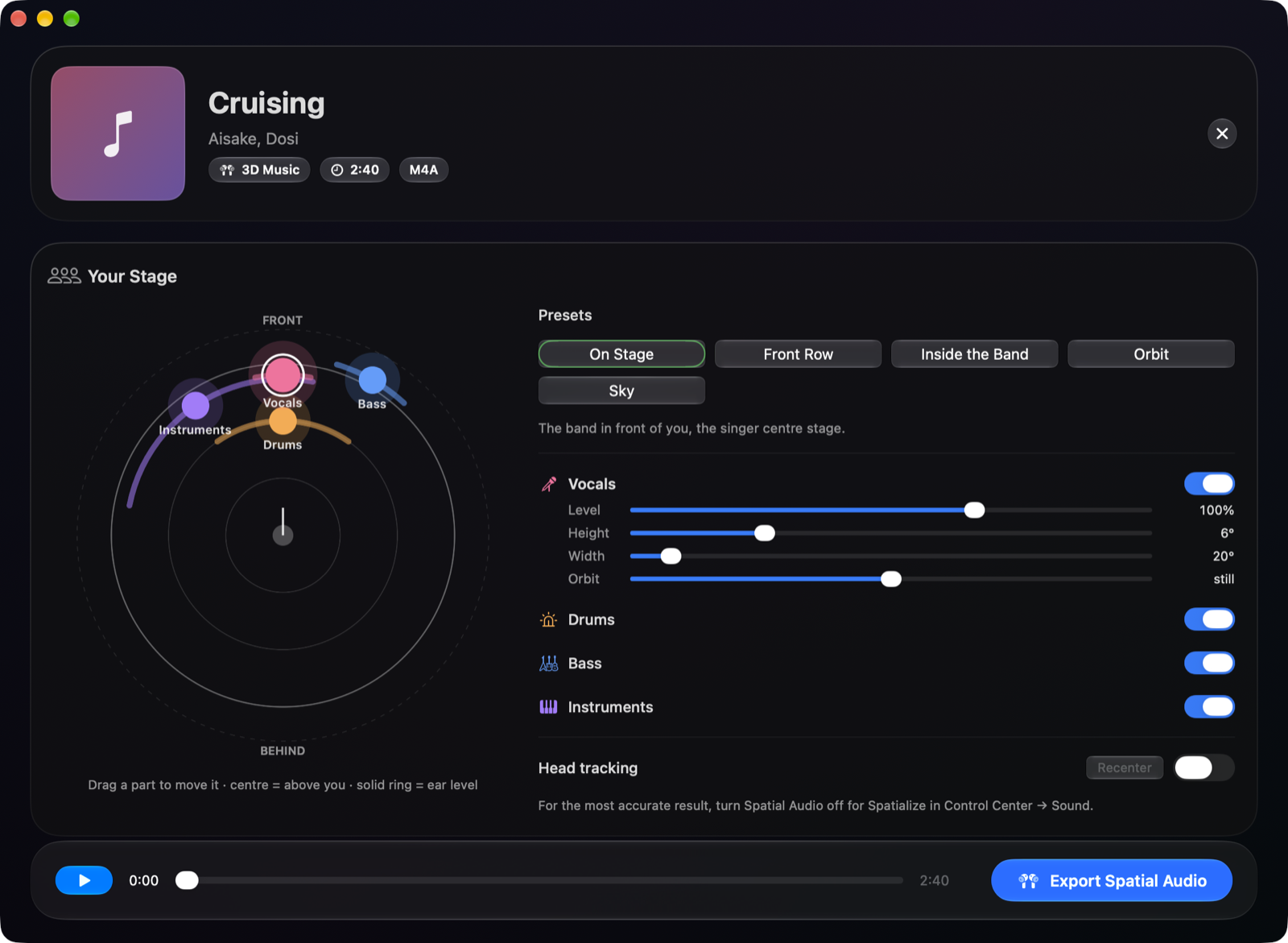
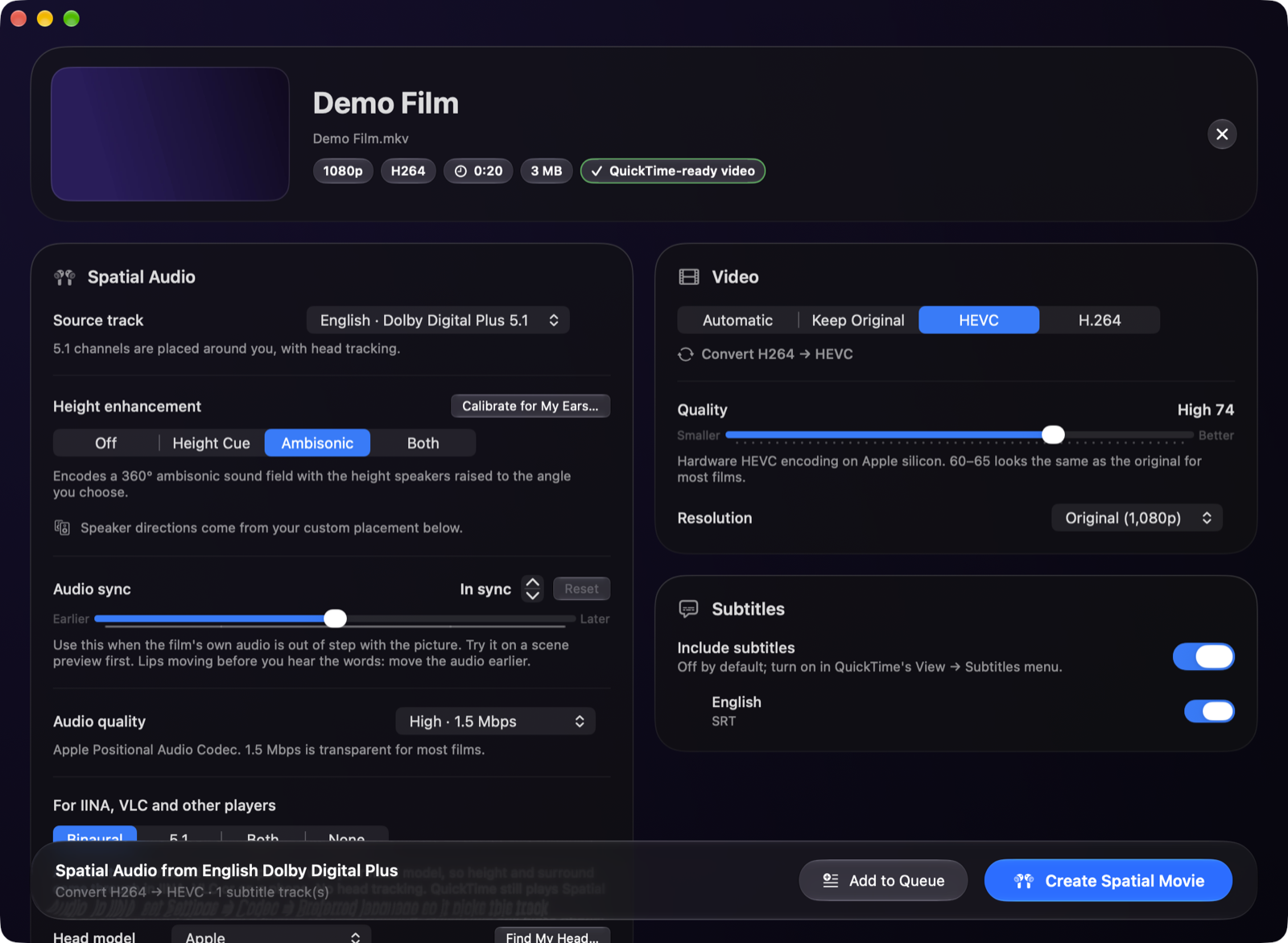
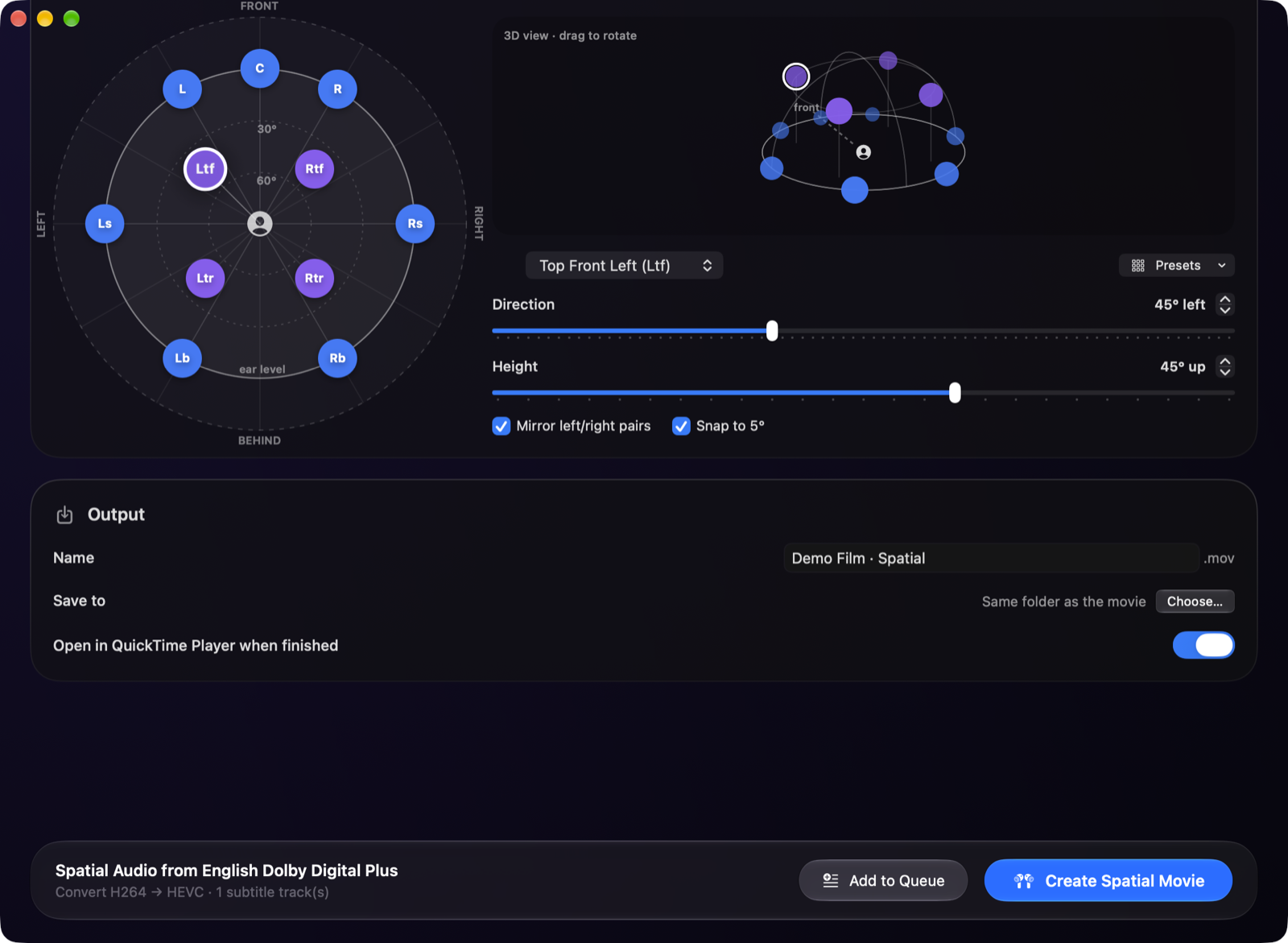
Small tools, one pipeline.
Each step is a command-line tool (Rust and Swift), so the whole thing also runs without the app.
Three steps.
Get
Spatialize.zip from the latest release and unzip it.It isn't notarized yet, so the first time right-click the app and choose Open.
Pick your settings, press Create Spatial Movie, then play it in QuickTime with AirPods.